
Wedding budget
Wedding Budget Spreadsheet: 7 Costs Couples Forget
Build a wedding budget you can keep up to date, with clear payment tracking and seven costs to check before booking.
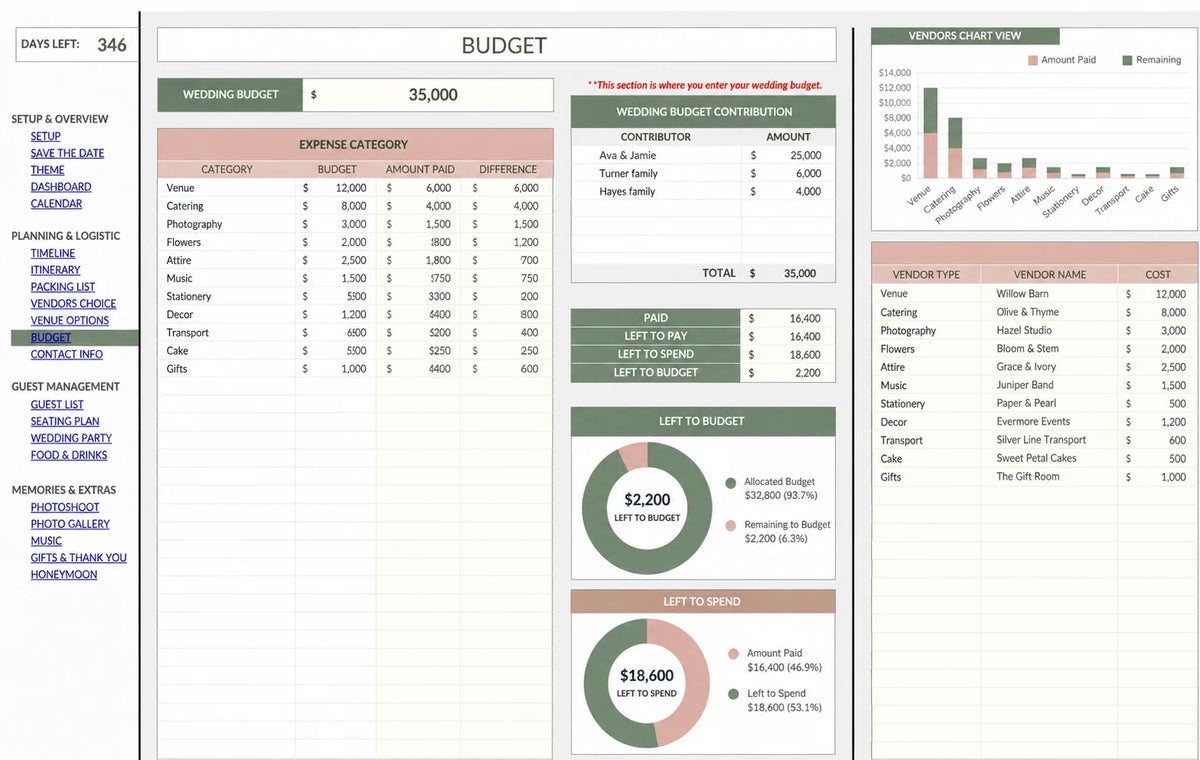
A wedding budget spreadsheet should answer three questions: What have we agreed to spend? What have we already paid? What still needs paying? Keeping those figures separate helps you spot a problem before another deposit leaves your account.
Start with the amount you are comfortable spending, using confirmed contributions rather than hoped-for gifts. Then assign a working allowance to each part of the wedding.
Set up the columns that actually help
For a simple DIY sheet, create one row per expense and use these columns:
- Category and vendor: what the expense covers and who provides it.
- Working estimate: your early allowance before you receive a quote.
- Agreed total: the complete price you have accepted.
- Amount paid: payments already made.
- Balance and due date: what remains and when it is due.
- Notes: inclusions, exclusions and the quote reference.
If the agreed total is $2,400 and you have paid $600, your unpaid balance is $1,800. You have committed to $2,400, even though only $600 has left your account. Check both committed spending and cash still available.
7 costs to add before you book
- Taxes and mandatory service charges. Ask whether the headline quote includes them.
- Delivery, setup and collection. Check rentals, flowers, furniture and equipment.
- Overtime. Find out what happens if photography, music or venue access runs longer.
- Clothing alterations and accessories. Add shoes, fittings, steaming and any extras you actually need.
- Vendor meals. Confirm who requires one and what the caterer charges.
- Venue and catering extras. Ask about cake service, corkage, cleaning, security and staffing.
- Weather backup arrangements. Price any required shelter, heating, flooring or alternative setup before relying on it.
Mark each item “included,” “quoted separately” or “not needed.” An empty cell can look like a zero even when nobody has checked the cost.
A $20,000 wedding budget example
This is an illustrative allocation, not a guide to local vendor prices. Change the categories and amounts to fit your actual quotes and priorities.
| Category | Working allowance |
|---|---|
| Venue, food and drinks | $10,000 |
| Photography and video | $2,500 |
| Attire and beauty | $1,500 |
| Music | $1,000 |
| Flowers and decor | $1,500 |
| Stationery, transport and other items | $1,500 |
| Unallocated reserve | $2,000 |
| Total | $20,000 |
Review the sheet before each new booking
Replace estimates with agreed prices, record deposits immediately and check the next payment date. When one category grows, decide where that extra money will come from before confirming another purchase.
Update your wedding guest list alongside the budget. Changes in meals, chairs and transport can affect several costs at once.
Is Excel or Google Sheets better for a wedding budget?
Choose the app you and your partner will actually update. Google Sheets suits a shared online workflow; Excel may suit an existing workbook routine. Keep one current master version and review it together.
For your next major decision, read how to compare wedding venues by their full cost.


